One UI 9 update requires password to turn off Galaxy S26 devices and increases security
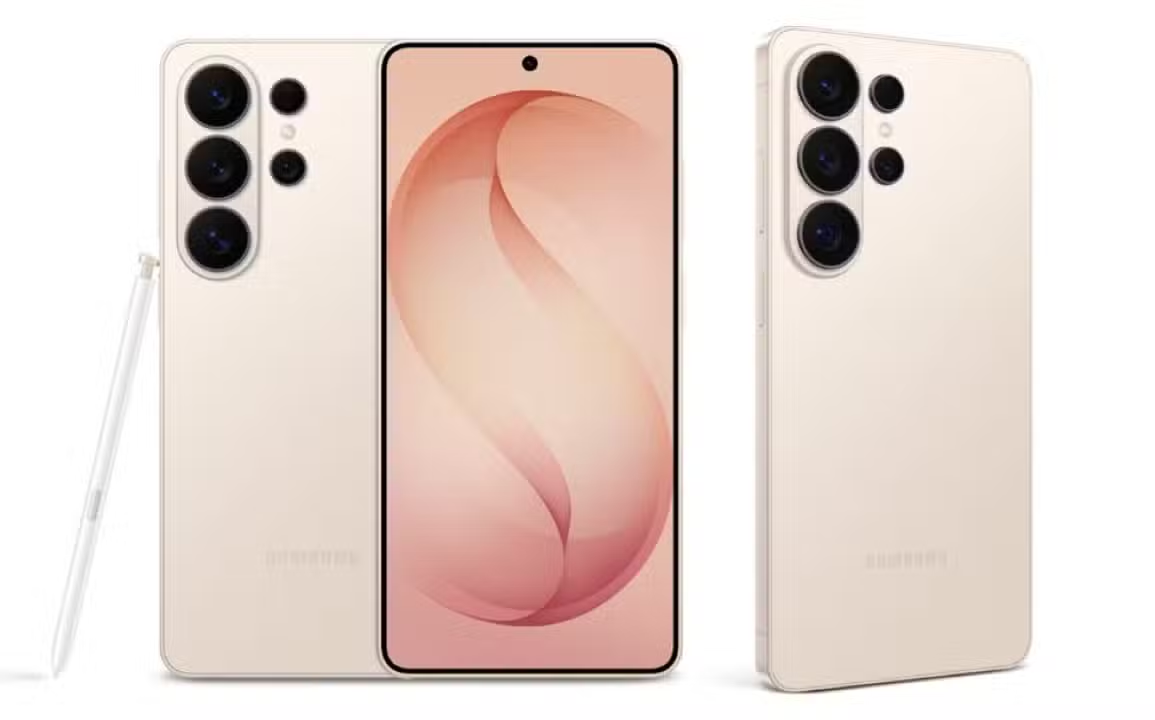
Samsung has started the advanced testing phase of the One UI 9 interface for Galaxy S26 line smartphones. The second beta version of the operating system was recently released with bug fixes and performance improvements. The highlight of the update is the implementation of a security feature focused on protection against theft and theft. The South Korean manufacturer modified the device shutdown process.
The new tool requires entering unlock credentials before allowing the device to be turned off or restarted. The measure creates an active barrier against criminals who try to disable cell phones quickly after a crime. The main objective is to keep the smartphone connected to the internet and telephone networks for as long as possible. Isso makes it easier for authorities and owners to track equipment.
Protection system Evolução in interface One UI 9
Nas previous versions of the software, Samsung devices already requested a password to shut down. However, this requirement only worked when the cell phone had the screen locked at the time of the action. Essa initial layer of defense helped prevent unauthorized people from disabling equipment after a loss. The limitations of the old system left a loophole if the phone was stolen while it was in use.
The update to One UI 9 changes this dynamic drastically to increase user protection. Agora, the operating system detects the shutdown attempt and triggers the security lock immediately, even if the device is currently unlocked. Authentication becomes mandatory in any scenario. Technological advancement represents a direct response to the increase in cell phone theft statistics in large urban centers.
The development of this functionality required profound modifications to the operating system core of the Galaxy S26 line. The company’s engineers had to rewrite the power protocols so that the shutdown command was subordinate to the security module. The integration between hardware and software ensures that the physical command of the side buttons does not override the virtual password requirement.
Mudança in user identity verification method
The validation method for turning off or restarting the phone has undergone significant changes with the arrival of the new interface. The system now exclusively requires the use of an Número of Identificação Pessoal, known as a PIN, an alphanumeric password or the drawing pattern on the screen. The change directly impacts the way the owner manages access to the device on a daily basis.
Biometric verification has been completely removed from this specific security step. Facial recognition and fingerprint reading are no longer accepted to authorize smartphone shutdown. Excluding these technologies adds an extra layer of difficulty for third parties. Especialistas in digital security point out that biometric methods can be forced in situations of duress, while a memorized password offers greater resistance.
Absence of the exact credentials makes the device inaccessible for any power state change. The criminal loses the ability to force a restart to attempt to access system recovery modes. The Samsung security architecture isolates critical components until numeric or alphanumeric validation is completed successfully.
Practical Funcionamento and automatic lock activation
The new defense mechanism operates continuously and silently in the system background. Quando a person tries to access the power menu by pressing the physical buttons, the interface immediately displays the authentication screen. Providing credentials becomes the only possible way to proceed with the action.
A key feature of the update is the automatic and instantaneous blocking of the device as soon as the scan is triggered. If the user tries to cancel the action and return to the home screen, the system recognizes the action as suspicious and locks the cell phone. Browsing only resumes after entering the correct password.



The detailed operation of the new security tool encompasses the following technical aspects:
- The feature is activated natively and automatically on all devices compatible with One UI 9.
- The requirement for a PIN, password or drawing pattern becomes mandatory for any shutdown attempt.
- Excluding biometric methods prevents the use of fingerprints or face to bypass the power lock.
- Immediate screen locking protects personal data if the shutdown attempt is aborted.
- The persistence of the lock keeps the phone inaccessible until the correct validation is entered into the system.
The strict structure of the software prevents the use of third-party applications to bypass the power menu. Locking occurs at the system level, meaning that external commands cannot disable the password requirement. The manufacturer reinforces the shielding of the source code to avoid vulnerabilities.
Impacto direct recovery of stolen equipment
The security enhancements of One UI 9 increase the chances of locating and recovering a lost or stolen cell phone. Sem the correct password, the individual who has the device cannot stop the hardware from functioning. The device remains turned on and connected to the mobile data network or wireless connections available in your region.
Forced equipment downtime creates a valuable window of time for using tracking tools. The phone continues to transmit geolocation signals as long as the battery has a charge. Owners can access official search platforms to view the smartphone’s exact position on a virtual map.
Maintaining internet access allows essential remote commands to be sent in situations of loss. The user can trigger audible alarms, display messages on the locked screen or request complete erasure of data remotely. Constant communication between the cell phone and the company’s servers is the key to the success of these rescue operations.
Cronograma update release and distribution
The distribution of One UI 9 will cover a wide variety of models from the manufacturer’s ecosystem. Technology market expectations indicate that the stable version of the software will begin to be released from mid-July. The period will mark the beginning of the global delivery of the new interface to end consumers.
The most comprehensive forecast for the system’s arrival on all compatible devices extends between the third quarter and the end of the year. Samsung adopts a phased release strategy, prioritizing specific markets and the latest models in the Galaxy S26 lineup before expanding the data package. The gradual approach allows for monitoring software stability and quickly correcting any residual faults.
Smartphone owners should monitor system settings to check download availability. The update notification will automatically appear on the screen once the package is released to the user’s region. Installation requires that the device is connected to a stable network and has sufficient battery power to complete the transition process to the new interface.
Veja Tambem em Latest News (EN)

Galaxy S26 line gains automatic integration with Apple’s AirDrop through Quick Share

HyperOS 3.1 system with Android 16 arrives on Xiaomi cell phones without public testing phase

Accident on BR-116 leaves 16 dead in a family in Santa Terezinha, Bahia

IOS 26.4 update arrives on iPhone with advanced security and playlists generated by artificial intelligence

Iván Cepeda backs down and denies evidence of irregularities in Colombia’s elections

Chris Robinson responds to boos from fans at The Black Crowes concert in Florida

Manufacturer OnePlus prepares portable Android console with exclusive physical controls for shooting games

Apple releases iOS 26.4 for iPhone with new emojis and advanced audio features

New Anker 300 W and 26,250 mAh portable battery hits the Chinese market with high compatibility

Disney confirms releases of Avatar 4 and 5 for 2029 and 2031 after sales of Fire and Ash

James Webb Telescope maps web of primordial gas that connects galaxies after the Big Bang