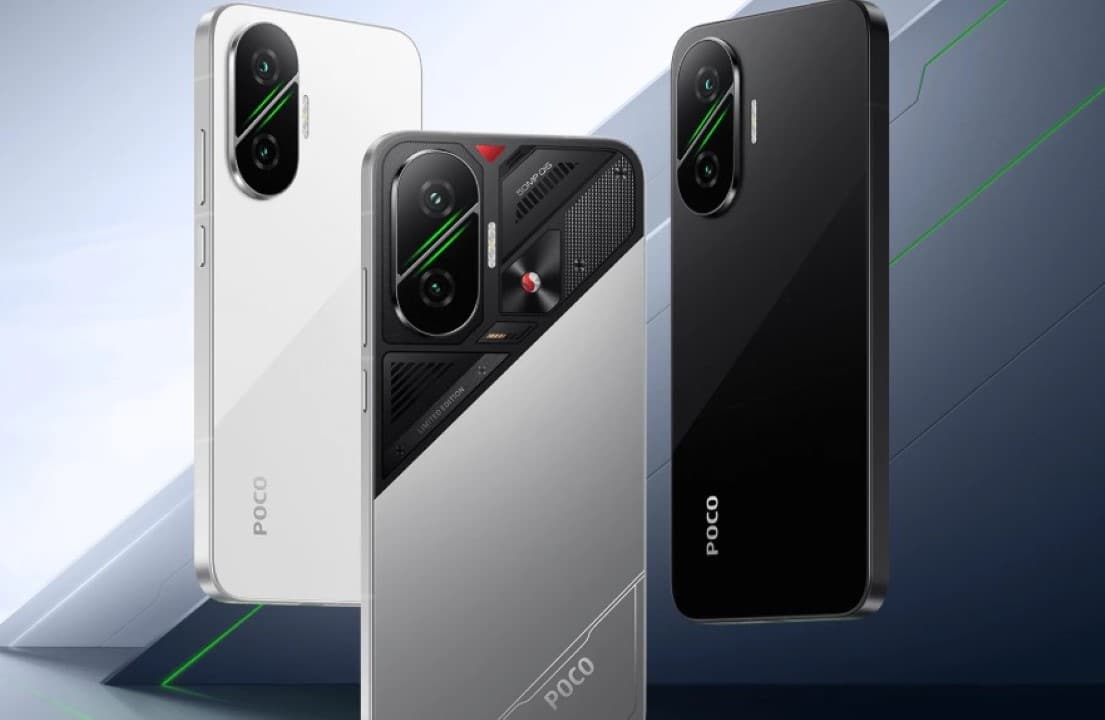
Chinese manufacturer Xiaomi began distributing a new wave of compilations of its operating system during the month of June, reaching a varied portfolio of devices under the Xiaomi, Redmi and POCO brands. Consolidated software records up to June 16, 2026 show that the most recent editions already incorporate the Android 16 architecture — Google’s mobile system that promises greater energy efficiency —, benefiting terminals such as the POCO F7, POCO X7, Redmi Note 14 Pro 5G, POCO X6 5G and the top-of-the-line Xiaomi 14T Pro.
Understanding the dynamics of the release of these files is essential, as sending does not happen globally at a single moment. This fragmentation occurs because the company develops specific firmware variants for each market, using unique identifiers that separate editions destined for regions such as Europe, India, Indonesia, Taiwan, Russia, Turkey and the Global version.

In practice, this means that a consumer who purchased their cell phone at Brazilian retailers will face an update schedule completely different from that experienced by a user with the same hardware model in Europe or the Asian continent.
Which brand smartphones already have the new software installed
Among the system files recently detected by update trackers, version OS3.0.301.0.WOLIDXM, designed for POCO F7 in the Indonesian market, stands out. This specific package already runs on Android 16 and started appearing in public databases in mid-June.
Other devices included include the Redmi Note 14 Pro 5G and the POCO X7, which now receive the OS3.0.301.0.WOOTRXM firmware, focused exclusively on Turkish territory. It is worth noting that the manufacturer usually unifies software development for these two devices in certain markets, optimizing the work of engineers.
The Taiwanese public also entered the company’s radar with the confirmation of an unprecedented package, labeled under the number OS3.0.301.0.WNRTWXM, which directly serves the owners of the Redmi Note 13 Pro 5G and POCO X6 5G.
At the same time, the advanced Xiaomi 14T Pro gained a compilation dedicated to Taiwanese users, while the rest of the company’s catalog continues to receive regional batches in a staggered manner, following the Asian manufacturer’s internal schedule.
To make it easier to keep track of the latest releases, we’ve created a detailed version summary:
- POCO F7: Indonesian market (code OS3.0.301.0.WOLIDXM)
- POCO X7 and Redmi Note 14 Pro 5G: Turkey market (code OS3.0.301.0.WOOTRXM)
- POCO X6 5G and Redmi Note 13 Pro 5G: Taiwan market (code OS3.0.301.0.WNRTWXM)
- Xiaomi 14T Pro: Taiwan market (code OS3.0.301.0.WNNTWXM)
How to decipher the complex codes of HyperOS 3.1 versions
A point that often causes doubts in technology forums is the numerical standard adopted by the manufacturer to name its files. Even though the market treats the new product commercially as HyperOS 3.1, most international installations display apparently outdated sequences, such as OS3.0.301.0.
This visual difference occurs due to the internal versioning logic applied by Xiaomi developers. Because of this, the technical recommendation is that users analyze the complete file string, the Android generation that accompanies it and the change report, avoiding jumping to conclusions based only on the first numbers on the screen.
Another critical factor is knowing how to differentiate finished software from a file that is still in transit through the brand’s testing laboratories. Just because a packet is leaked onto monitoring servers does not guarantee that it will be immediately shot to feature phones via the wireless update system.
The main changes coming to cell phones with HyperOS 3.1
Built on the Android 16 skeleton, HyperOS 3.1 delivers a notable leap in quality when compared to its direct predecessor. The main focus of this generation is on correcting system bottlenecks, ensuring smoother screen transitions, refined animations and much more intelligent control of RAM memory, preventing background applications from abruptly closing.
In the visual and functional field, the interface is reinforced by Xiaomi HyperIsland — the brand’s answer to Ilha Dinâmica —, in addition to a redesign of the multitasking menu, a completely remodeled photo application and barrier-free communication between the company’s cell phones, tablets and smart home devices.
The manufacturer is keen to warn, however, that the complete package of innovations will not arrive identically to all models. The release of exclusive tools depends on the processing power of each device, local market restrictions and the compatibility of native applications.
The files distributed this June also carry vital fixes against security vulnerabilities. However, the protection patch level varies depending on the product line, making it impossible to guarantee that all terminals are shielded exactly to the May or June 2026 definitions.
Why changing the country in settings doesn’t speed up the download
There is a persistent myth that changing the locale in the system options forces the cell phone to search for files on foreign servers, but this maneuver does not necessarily result in instant delivery of the new software.
The actual trigger for receiving the package is tied to the root code of the factory-installed ROM. If your device runs a Global edition, it will never turn into a European or Indian device just because you selected another country in the preferences menu.
Furthermore, company policy dictates that news reaches Mi Pilot program volunteers first. Only when this restricted base of testers confirms the absence of serious crashes does the company authorize mass shipping to the end consumer.
The safe step-by-step guide to searching for the new version on your device
The most reliable way to check if your phone has already been selected by the manufacturer requires just a few taps: just open the Settings app, go to the “About phone” tab, click on the system logo and click the search button for new versions.
Before starting any download, make sure that the device has sufficient battery power and free space in the internal memory. Digital security experts also reinforce the need to save important photos and documents in the cloud or on a computer to avoid irreparable losses.
For enthusiasts who prefer to force the installation via computer, the golden rule is to download a file that perfectly matches the model and original region of the smartphone. An incorrect firmware will be blocked by the system or, in the worst case, will render the device unusable. For the general public, the most prudent course of action remains to wait for the automatic notification to appear on the screen.