

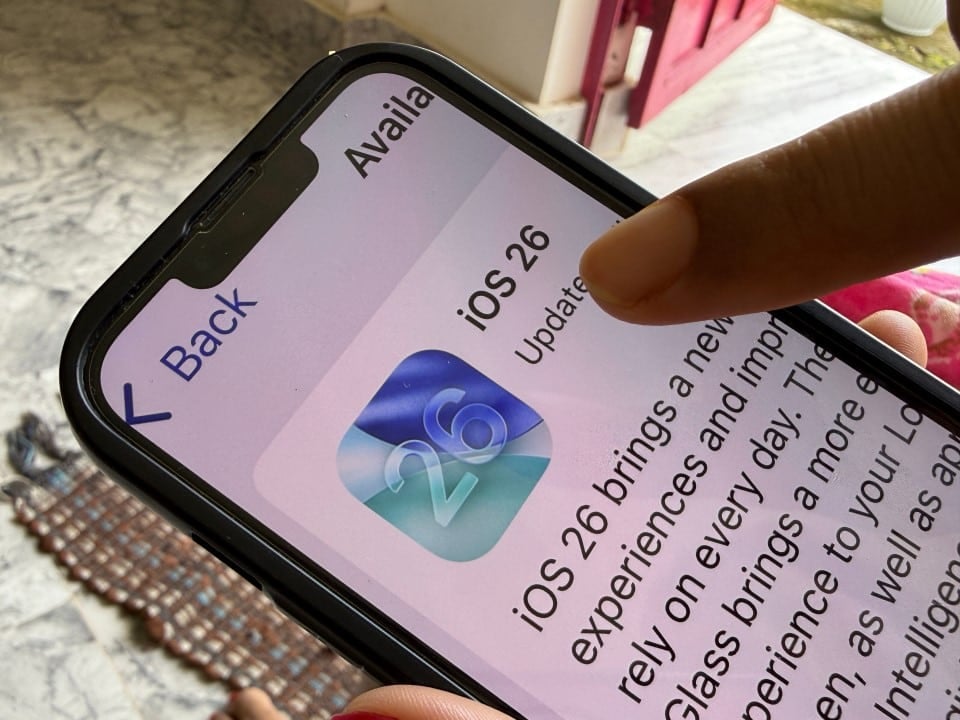
Apple distributes this Monday, December 8, 2025, the second candidate version for the release of iOS 26.2 to developers and public beta testers. The update, expected this week at local times at Estados Unidos, such as 10am at Pacífico, brings refinements to the iPhone and iPad operating system. Usuários with compatible devices, starting from iPhone 11, can prepare the upgrade to access bug fixes and new features.
The change comes after the release of the first candidate on December 3, signaling that the final version is close. Analistas indicate that the public rollout should take place between December 8th and 16th, following the company’s annual pattern for timely updates. Essa release coincides with the end of the year, allowing millions of devices to receive improvements before 2026.

Among the initial adjustments, the system prioritizes iOS 26 over previous versions such as iOS 18 in the settings menus, encouraging migration for greater security.
- Main affected models: iPhone 11, 12, 13, 14 and 15 series.
- iOS 26 initial announcement date: June 2025, with rollout in September.
- Reason for numbering: alignment with other Apple systems, jumping from 18 to 26.
iOS 26.2 release date
Apple follows a predictable schedule for its updates, with version 26.2 scheduled for the second week of December. The December 3rd release candidate confirms that there are no delays, and specialized sources point to December 8th or 9th as likely dates. Em Nova Jersey, local distribution time should be around 12:00 PM ET, aligned with the US Eastern Time Zone.
Beta tests reveal stability, with no reports of serious problems that require postponement until January 2026. The company distributed the second RC build this morning, replacing the previous one for fine adjustments.
Users outside the US will see the update adapted to local time zones, such as 2pm in Brasília.
New features in Lock Screen and accessibility
The Lock Screen gains a slider to adjust the transparency of the Liquid Glass effect, allowing fine customization of the clock and widgets. Essa tool responds with smooth animations, simulating drops of liquid glass on the interface, and improves visibility in different light conditions.
Now, notifications activate the screen flash in addition to the rear LED, configurable from Ajustes > Acessibilidade > Flash to Alertas. Essa option uses a white flash when the iPhone is facing up, making it easier to use for people with hearing impairments.
The Enhanced Safety Alerts feature centralizes warnings of earthquakes and imminent threats, with delivery optimized by geographic location.
Updates to native iOS apps
The Podcasts app features AI-generated chapters, enabling precise navigation through long episodes, while the Apple News displays quick buttons for categories like sports and business on the home screen. Essas changes reduce search time and better integrate daily content.
In Apple Music, song lyrics are available offline for personal libraries, with improved translations and pronunciations in multiple languages. The Lembretes app adds alarms for urgent tasks, syncing with your calendar for proactive notifications.
For iPad, the Split View returns with improved drag and drop on the Slide Over, optimizing multitasking on larger screens.
- Podcasts: AI chapters for quick jumps.
- News: direct links to thematic sections.
- Music: offline lyrics and multilingual support.
Regulatory changes and privacy
On União Europeia, automatic sharing of Wi-Fi networks between iPhone and Apple Watch is limited, in compliance with local privacy regulations. Usuários now manually select networks, preventing unwanted synchronizations.
AirDrop introduces one-time, temporarily generated codes for secure transfers between nearby devices. Essa measure reinforces protection against unauthorized access, especially in public environments.
On the Japão, the iPhone’s side button lets you choose third-party voice assistants, such as Gemini or Alexa, replacing Siri as the default. Essa option arises from antitrust regulations, expanding choices for developers.
Compatibility and version transition
iPhone 11 models or later support iOS 26.2, but advanced features like live translation on AirPods require iPhone 15 Pro or later. Apple does not allow downgrading to iOS 18 after the upgrade, prioritizing security with continuous patches.
Users on iOS 18 still receive limited support, but the Ajustes interface now highlights iOS 26.1 as the default, encouraging updates to recent vulnerability fixes.
iOS 26.1, released in November, paved the way with early battery and stability optimizations, setting the stage for these refinements.
Improvements in health and performance
Sleep tracking gains the recalibrated Sleep Score, analyzing nighttime patterns with greater accuracy via the integrated Apple Watch sensors. Usuários see detailed metrics on weekly graphs, helping to adjust daily routines.
Battery and animations receive general polish, reducing lag in transitions and improving autonomy in intensive use, such as gaming or streaming. Testes beta indicates up to 10% gain in efficiency for older iPhones.
The Jogos app adds sorting filters and support for physical controls, with real-time scoring during sessions.
Optimizations for CarPlay and multitasking
In CarPlay, pinned messages can be turned off, restoring the classic view to focus on driving. Chamadas display compact details, integrating better with compatible automotive dashboards.
For iPadOS 26.2, Slide Over lets you drag items between apps, expanding productivity in creative workflows. Essas tools arrive without changing the core design, maintaining consistency with iOS.
Beta reports highlight corrections to album scrolling in the Fotos and Música app, resolving occasional crashes.
Preparing for the upgrade
Check compatibility in Ajustes > Geral > Atualização of Software, ensuring free space of at least 5 GB. Backups via iCloud preserves data before installation, which takes about 20 minutes on stable connections.
Apple recommends charging the device above 50% during the process, avoiding interruptions. Após the update, quick restarts optimize the new software.
This version marks the conclusion of the 2025 updates, focusing on daily usability for millions of global users.



