
Sony releases firmware 4.93 for PlayStation 3 and temporarily locks disk drive
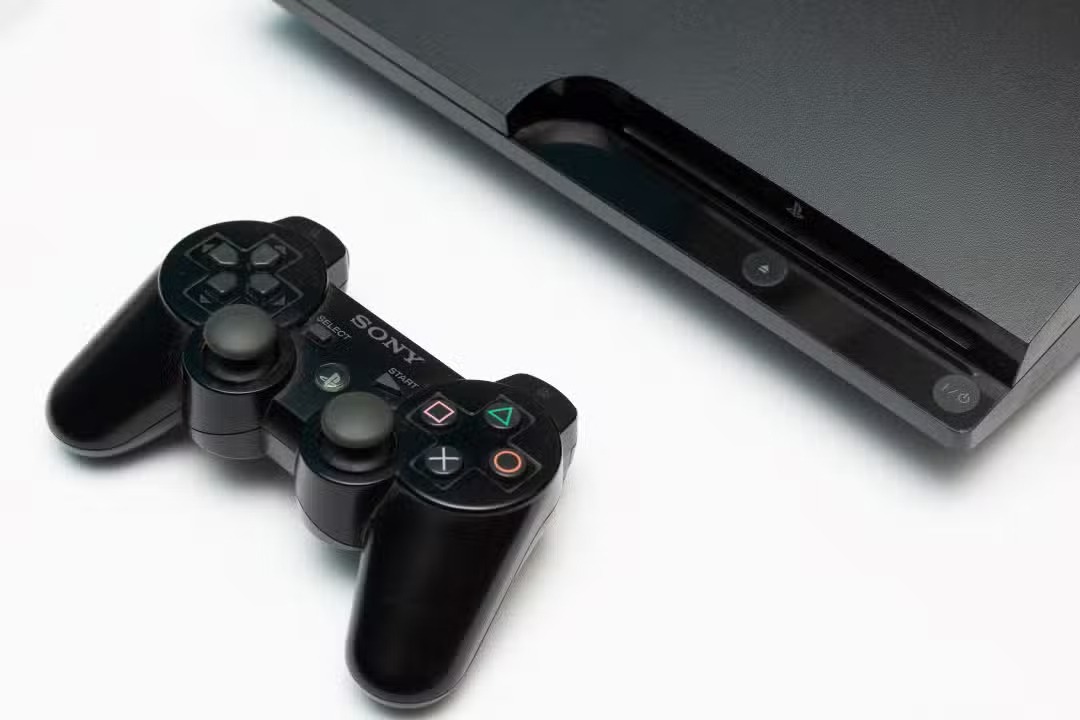
Sony Interactive Entertainment released system update 4.93 for the PlayStation 3, a console launched in 2006. The Essa version renews the encryption key for the Blu-ray player, essential for playing physical discs. Sem the firmware installation, the disc reader becomes temporarily inoperative, preventing games and movies from playing on physical media. The measure aims to maintain compatibility with media protected by AACS and reinforce the overall security of the system.
The update requires around 200 MB of free space on the console’s internal hard drive or removable media. Sony advises that the update takes place via the network or via USB with an official file downloaded from the company’s website. Usuários who ignore the update prompt face progressive drive locking as the encryption key expires without renewal. Relatos indicate that the problem mainly affects consoles that do not perform immediate installation.
Temporary blocking aims for security and compatibility
Firmware 4.93 improves system performance and updates security features. Renewing the Blu-ray encryption key represents the main reason for the annual release of this type of patch for the PS3.
The Sony maintains console support even after almost 20 years of launch. Atualizações similar events occurred in previous years, always focusing on renewing content protection keys.
PS3 owners who only use digital games or online services are not directly impacted. The block exclusively affects those who depend on Blu-ray discs for games or movies.
User reports highlight need for quick action
Gamer communities have noted that the drive remains unusable until the update is complete. Alguns consoles display the active reader, but without the ability to effectively read inserted media.
The recommendation is to perform the manual update via USB to avoid loops or automatic failures. Official Arquivos are available from PlayStation support.
Modified consoles or those with custom firmware face a higher risk of incompatibility after patching. Installation may break previous modifications and require complex rollbacks.
How to proceed with the system update
To install firmware 4.93, download the official file from the Sony website and transfer it to a USB stick formatted in FAT32. Crie a PS3/UPDATE folder on the device and place the file there with a specific name.
Start the console with the USB stick connected and follow the on-screen instructions. The process takes a few minutes and requires a stable power connection. Após installation, the disc reader returns to normal operation for compatible media.
Avoid unofficial update sources as changed files may damage the system permanently. Sony warns that non-recommended methods invalidate the correct functioning of the console.



Impact on collectors and users of physical media
The PlayStation 3 remains popular among collectors due to its vast catalog of exclusive disc games. The dependence on periodic updates to keep the drive operational generates discussions in specialized forums.
Many users choose to keep the console offline to preserve existing functionality. Outros perform the update only when necessary for new Blu-ray disks.
The Sony strategy ensures continuous protection against unauthorized copies, even on legacy hardware.
Firmware 4.93 Technical Details
The update includes general stability and usability improvements. The main focus remains on renewing the Blu-ray player key, which expires periodically.
Without the update, the console loses its ability to decrypt protected media. Isso affects original Blu-ray games and movies released with AACS encryption.
The file size of around 200 MB makes it easy to download even on slower connections.
Recommendations for console maintenance
Check the available space on your HD before starting the process. Libere unnecessary files if necessary. Mantenha the console in a ventilated place during the update to avoid overheating.
Test known disks after installation to confirm drive functionality. Caso problem persists, consider laser cleaning or hardware check.
Sony continues to provide basic support for the PS3 through annual security updates.
Veja Tambem em News (EN)

Research reveals that parents are unaware of how their children use artificial intelligence

Samsung releases new system update with new features for Galaxy Watch 4 users

Digital retail reduces the value of the Galaxy S25 5G smartphone with bank bonuses and device exchange

Amazon’s wireless CarPlay adapter has a 50% discount and high approval ratings from drivers

Zach Cregger’s new Resident Evil ignores games and focuses on an unprecedented story with new characters

Rumor suggests that Nintendo is preparing a special edition of the Switch 2 with a remake of Ocarina of Time

Apple accelerates production of the iPhone 17e and develops new Air model with dual camera system

Epic Games platform releases twelve high-budget games at no permanent cost for PC users

PlayStation 5 Pro price drop accelerates digital retail sales and eliminates global stocks

New Galaxy Watch 9 firmware appears on server and confirms progress in software development

Apple’s commemorative project tests cell phone with 1.1 millimeter edge and curved screen for 2027
