


The interface of modern mobile devices offers a solid foundation for everyday use, but the search for specific adaptations drives the development of complementary tools. The South Korean manufacturer’s official application works directly on the operating system, allowing deep modifications to the One UI. Disponível in official app stores, the software delivers independent modules that change everything from the aesthetics to the functionality of physical and virtual buttons.
Users of different levels of technical knowledge will find options to adjust the device’s behavior to their ergonomic and visual needs. The platform functions as a resource laboratory, where experimental functions are tested before possible native integration into the main system.
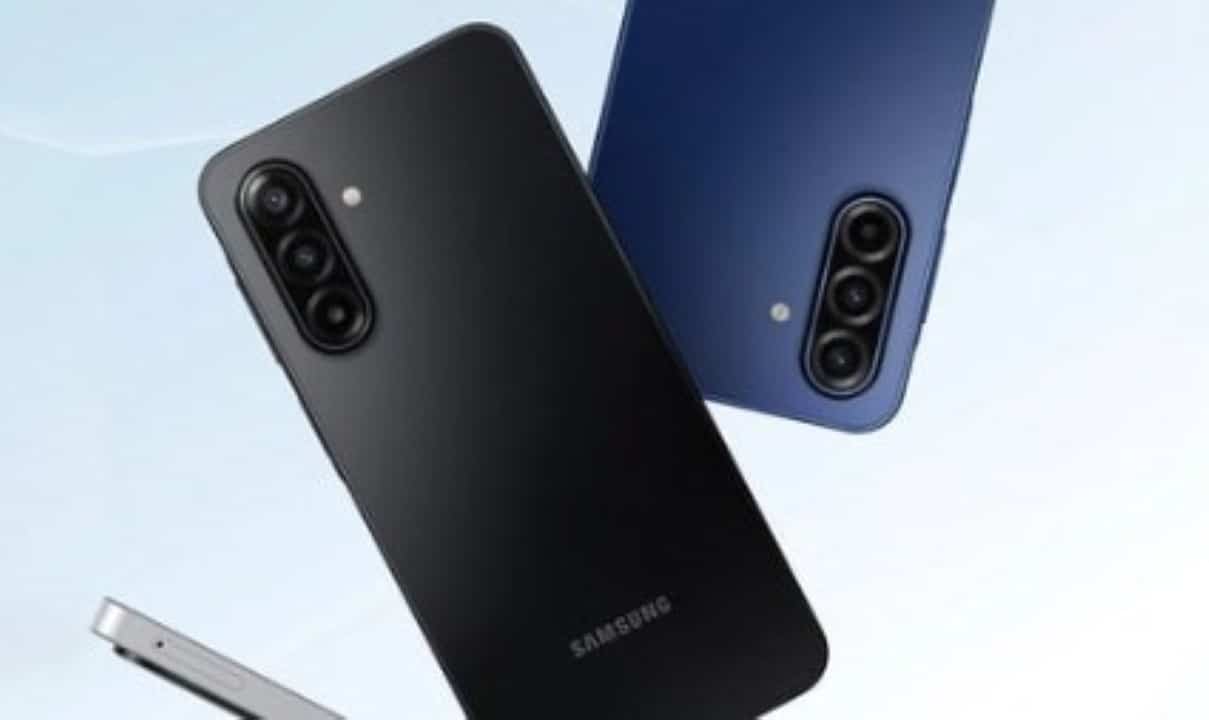
The changes cover several critical areas of daily smartphone interaction:
- Complete redesign of notification panels and quick settings.
- Implementation of shortcuts based on lateral and diagonal gestures.
- Customization of application grids and multitasking screens.
- Fine adjustments to camera behavior and audio playback.
With a vast number of downloads registered globally, the customization suite maintains a constant cycle of updates to ensure stability and compatibility with the latest versions of the factory software.
Improvements in usability and adaptation to large screens
The evolution of smartphone design has resulted in increasingly larger screens, which naturally makes it difficult to use with just one hand when commuting or in rush situations. Ferramentas dedicated to ergonomics solve this physical obstacle by transferring essential commands to the lower edges of the light panel. The module focused on one-way operation establishes invisible touch zones on the sides, recognizing short or long swipe movements to perform actions that would normally require reaching the top of the screen.
Detailed configuration of these interaction areas allows the owner to define the exact width of the recognition zone, the vertical position and the level of transparency of the visual indicators. Essa Precision prevents accidental touches while typing or consuming videos, ensuring gestures only work when intentionally triggered. Além Instead of replacing traditional navigation buttons, shortcuts can activate the flashlight, open the notification drawer or quickly switch between the last two open tasks.
The benefits of this structural adaptation include:
- Reduction of muscle fatigue in the hands during prolonged use of the equipment.
- Greater security when holding the device on public transport.
- Agility in executing repetitive daily commands.
Advanced visual control in the system panel
The aesthetics of the software can be entirely redefined by creating unique themes that apply to the quick panel and notifications. The user gains the freedom to select specific color palettes, adjust the background blur level, and modify the shape of the activation icons.
This visual flexibility allows you to establish distinct identities for light and dark modes, ensuring transitions that are comfortable for the eyes in different ambient lighting conditions. Breaking the standard imposed by the manufacturer meets the demand for truly unique and personalized interfaces.
Shortcut management on the lock screen
Quick access to vital information without the need for biometric authentication optimizes interaction time with the device. Modifying the lock screen allows the insertion of small informative blocks, known as widgets, in strategic positions on the switched off display.
Weather tools, detailed calendars, and world clocks synchronized with multiple time zones can be permanently fixed. The original layout gives way to an organization dictated entirely by the priorities of whoever operates the mobile phone.
In addition to the inclusion of new elements, the system allows changing the design of the main clock and replacing standard lower shortcuts with frequently used applications, such as voice recorders or calculators.
Optimized navigation for recent apps
The traditional multitasking screen, which displays open applications in a horizontal card format, often requires multiple swipes to locate specific software. Changing this layout transforms the task switching experience.
Adopting a compact vertical list groups active windows more densely, displaying a greater amount of information simultaneously. Essa grid view makes it easy to quickly terminate background processes.
For those who prefer a different visual appeal, there is the option to activate a three-dimensional carousel or a circular list. Esses formats add fluidity to the operating system’s animations during navigation.
Fine-tuning scrolling sensitivity and thumbnail size ensures that the interface responds quickly, especially on devices equipped with high-performance processors and high refresh rate screens.
Strategic status bar reorganization
Visual pollution at the top of the screen is a common problem when dozens of notifications accumulate next to battery indicators, carrier signal and wireless connections. The ability to hide specific system icons clears the status bar, leaving visible only what is strictly necessary for monitoring the device. Moving the clock to the right corner, for example, frees up valuable space on the left side, allowing message and email alerts to breathe without overlapping information.
Another technical detail appreciated by professionals and methodical users is the inclusion of the seconds counter on the main watch. Essa simple but effective modification helps in situations that require temporal precision, such as monitoring online auctions, purchasing disputed tickets or synchronizing live events. The customization of this upper area demonstrates how small structural changes directly alter the perception of organization of the graphical interface.
Automation of tasks and daily routines
Mobile device intelligence reaches its maximum potential when repetitive actions are delegated to the operating system itself, eliminating the need for constant manual intervention. The expansion of automation capabilities allows the creation of complex macros, where a single trigger triggers a sequence of pre-programmed events with millimeter precision. The owner can configure the smartphone to automatically silence ringtones, open the corporate email application, and reduce screen brightness to save energy when it detects a connection to the office wireless network. Durante at night, silent routines can be activated to backup photographs, update background applications and restrict processing to preserve battery health, all while the device remains connected to the charger. Deep integration with location sensors, gyroscope and communication antennas turns the cell phone into a truly proactive assistant, capable of anticipating needs based on the geographic environment and time of day.
Accuracy in media and volume control
Audio management gains professional contours with the separation of sound channels by application. The volume interface can be repositioned to the side of the screen, offering virtual buttons that control music intensity independently of message alerts, as well as allowing you to adjust the granularity of volume steps for smoother transitions.
Agility in capturing images and photographs
Visual documentation of everyday life requires responsive tools that do not delay the moment of registration. Modifying the shutter button behavior in the native camera eliminates the standard millisecond wait, capturing light exactly as your finger touches the glass, which is crucial for photographing sports or animals in motion.
In the field of screenshots, the addition of an immediate delete button on the floating toolbar solves the chronic problem of crowded storage. Imagens registered by mistake or with information cut out can be deleted even before being saved in the phone’s main gallery.
Increased productivity with multiple windows
The simultaneous use of two or more applications elevates the smartphone to the category of portable workstation. Enhanced split-screen mode removes thick borders between software, maximizing usable reading and interaction area.
Quick shortcuts allow a long press on the recent apps button to instantly split the pane, making it easy to copy text from a browser directly into a document editor. Essa fluidity in multitasking reflects the maturity of the software ecosystem for professional use.



