New Apple system fix protects old cell phones against malicious code intrusions
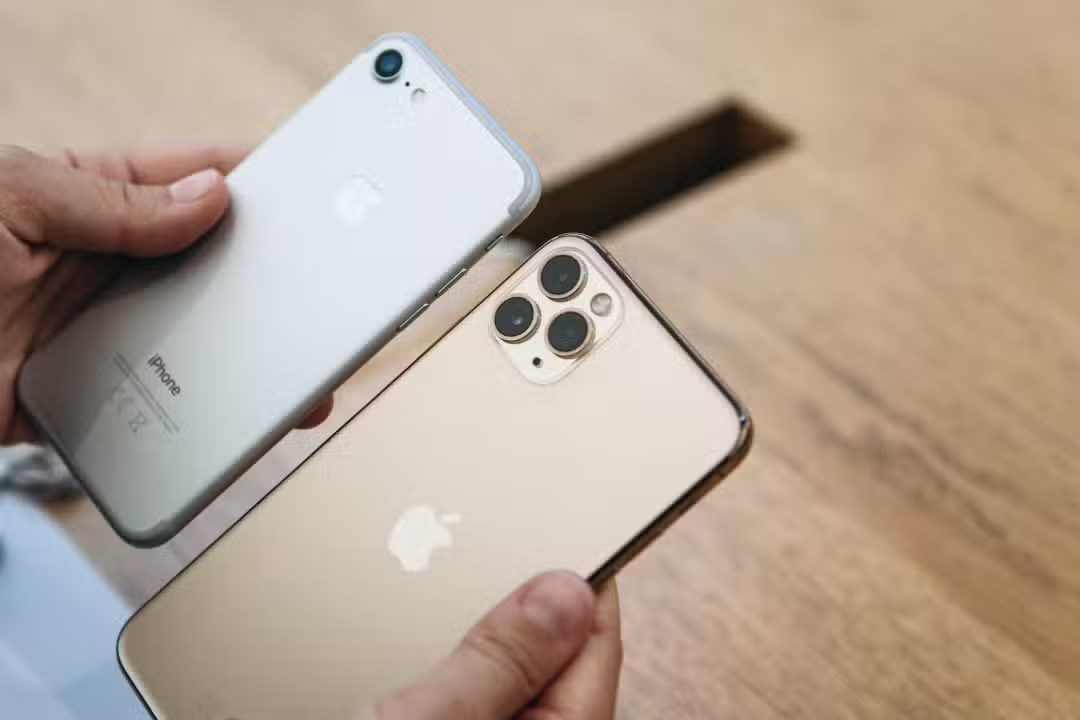
The North American manufacturer Apple has released an emergency fix package focused on previous generations of its smartphones and tablets. Global distribution of the software began reaching users to close critical system holes that put the integrity of stored information at risk. The movement covers equipment that no longer receives major annual interface changes, but continues to be operational in the hands of millions of consumers in different countries. Immediate installation prevents unauthorized access to personal data, photographs, passwords and access credentials to corporate platforms.
The central focus of this technical release is to neutralize a threat cataloged by information security experts as “Coruna”. Este malicious code has the ability to exploit dozens of simultaneous flaws in old versions of the brand’s mobile operating system, creating a high risk scenario. Analistas recommend immediately applying the package to avoid compromising banking applications and hijacking social media accounts. The measure reflects the urgent need to protect a gigantic installed base that resists frequent device replacement due to the high costs of modern electronics.
Technical details about the exploited vulnerability
The technology company’s official records describe the update only as a delivery of important fixes, without publicly detailing the attack mechanism at first to prevent other criminals from copying the tactic. However, developer forums and cybersecurity researchers have unraveled the nature of the threat that prompted the quick and untimely action. The attacking code acts completely silently and can bypass the operating system’s standard protection barriers without triggering alerts. The malware structure was designed to find open ports on devices running from iOS 13 to version 17.2.1, demonstrating dangerous versatility. Once installed on the target device, the malicious program gains administrator privileges without the owner noticing any changes in the cell phone’s performance or battery consumption. Isso allows continuous extraction of browsing data, location history, text messages and passwords saved in the system manager. The level of sophistication of this hacking tool demonstrates thorough planning on the part of criminal groups focused on digital espionage and identity theft. The discovery of this exploit chain forced the software engineering team to compile an immediate technical response, halting other projects to focus on mitigating the issue.
Corporate policy for maintaining legacy systems
The technology market tends to classify products that have been released for more than five years as obsolete or “vintage”, ending official software support and forcing migration to recent models. The strategy of maintaining active security updates for these older models differentiates the brand’s product lifecycle approach compared to its competitors. Essa stance recognizes the global economic reality, where passing on old devices to family members or purchasing them on the used market drives a significant portion of the telecommunications sector. Extending hardware lifespan through timely fixes prevents millions of perfectly functional phones from becoming premature electronic waste. The continuous provision of digital defenses ensures that consumers with lower purchasing power are not exposed to financial fraud and virtual scams.
The decision to invest resources in programming packages for legacy processor architectures requires considerable effort from development and quality testing teams. Engineers need to adapt new encryption protocols to physical components that have severe limitations in RAM and processing speed. Esse Strict technical balance allows the device to remain safe against external intrusions without suffering constant crashes or drastic loss of battery life in daily use.
Complete list of devices covered by the correction
The data package released on the company’s servers was divided into specific versions to suit different generations of processors and motherboard architectures. Smartphone owners receive builds identified as iOS 16.7.15 and iOS 15.8.7, depending on the maximum update limit supported by the model in question. Já tablet users should search for iPadOS 16.7.15 and iPadOS 15.8.7 versions in the system settings to ensure the equipment is shielded. The list of eligible equipment includes absolute sales successes that marked the company’s design transition in the last decade and popularized features such as facial recognition. The breadth of support surprises market analysts as it includes phones launched almost ten years ago, a rare milestone in the mobility industry.


- iPhone X, iPhone 8 and iPhone 8 Plus
- iPhone 7 and iPhone 7 Plus
- First generation iPhone SE
- iPhone 6s and iPhone 6s Plus
- Fifth generation iPad
- iPad Pro 9.7-inch and 12.9-inch (first generation)
- iPad mini 4
Consumers using these specific devices rarely check the availability of new downloads as they are accustomed to the absence of new aesthetics and new camera features. The red notification on the settings icon should be treated as a top priority alert in this heightened cyber risk scenario. Negligent installation leaves the way open for automated bots to scour the internet for easy, unprotected targets.
Practical guidance for installing the data package
The procedure for applying the protection barrier requires few touches on the screen and follows the usability standard established by the manufacturer since the first generations of the operating system. The user needs to open the settings app, access the general menu and tap on the option dedicated to software update. The device will communicate quickly and encrypted with the central servers to check the availability of the file corresponding to the exact hardware model. It is essential that the device is connected to a stable and secure Wi-Fi network to avoid excessive consumption of the mobile data plan and prevent download failures. The battery must have at least half of the total charge available, or the cell phone must be connected to the wall charger during the entire system rewrite process.
Preparing for download on equipment with many years of continuous use requires some additional care and planning on the owner’s part. Internal storage is often close to the maximum limit due to the accumulation of thousands of photos, high-resolution videos and heavy applications over time. The system requires a temporary free space of a few gigabytes to unzip the installation files before replacing the old and vulnerable lines of code. Deleting unnecessary media, clearing the cache of messaging apps, or transferring documents to cloud storage services resolves the chronic out-of-memory problem. Especialistas in data recovery also strongly recommend creating a complete backup before initiating any deep changes to the core of the operating system. Falhas power supply or abrupt interruptions in
Veja Tambem em Latest News (EN)

Atlético-MG confirms agreement with defender Léo Duarte after period of prominence in Turkish football

Tiger shark bites 19-year-old girl and rips off her leg in Boa Viagem, Recife

2026 World Cup will have 32 athletes who play in Brazilian football

OnePlus develops portable video game with Android system focused on competitive shooters

New BYD Seal 6 DM-i Touring hybrid station wagon debuts in Europe with ample interior space and super-efficient engine

Costco reaches historic volume in gasoline sales in the United States with prices below market

June PlayStation Plus Catalog Brings Grounded and Warhammer 40,000 Darktide to Subscribers

Disney+ brings Avatar Fire and Ash finale to The Bear and new Pixar animation in June

Netflix updates June catalog with new season of Avatar and classic cinema sagas

Geely Xingyuan electric compact gains 47 kWh battery and autonomous driving system in China

Episode 1156 of One Piece marks arrival at Elbaf with decisive actions by Shanks and Blackbeard