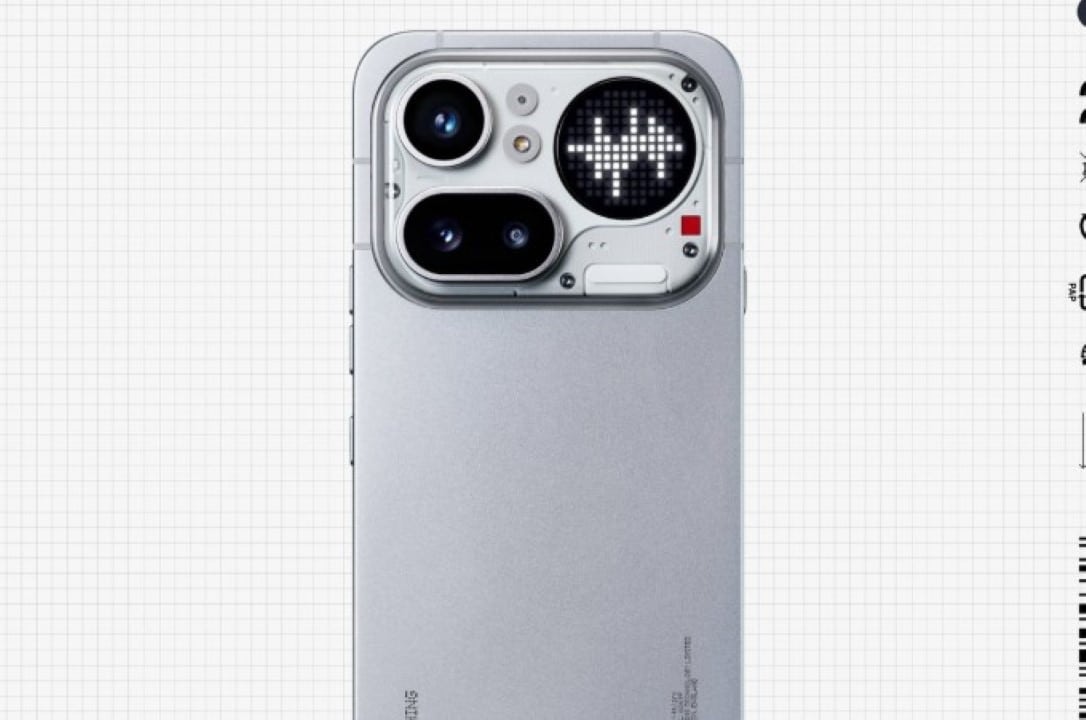
Technology manufacturer Nothing has released a new platform called Nothing Warp to facilitate the sending of documents and media. The system works as a virtual bridge between different devices. The tool requires the use of an Google account to operate. The software works directly to manage uploads and downloads.
The novelty arrives on the technology market at a time of high demand for integration between different ecosystems. Communication between Android and iOS still presents barriers. The method chosen by the company deviates from the standard of direct local connections. The operation raises technical debates about the efficiency of data traffic on mobile networks. The application fulfills the basic promise of moving folders and photos from one point to another.
Cloud-based operating Mecânica
Nothing Warp’s system operates differently than traditional proximity sharing tools. The user must provide access credentials for their Google account. The application creates a specific folder within the individual’s personal Google Drive. Nothing’s own servers do not store any type of file during the transfer process.
The software architecture turns the cloud storage service into an obligatory intermediary. The file selected on the cell phone first travels to the Google servers. The receiving device needs to access the same network to download that specific content. The requirement for a constant internet connection differs from technologies that use local radio frequencies.
Especialistas in network infrastructure point out that this approach eliminates the need for complex pairing between machines. The two-step method ensures that the document is saved in the cloud until the user decides to download it. The operating dynamics transform the cell phone into a mere sending terminal. The destination computer acts only as a final reception point for that data packet.
The history of file transfer has gone through several technological phases. Bluetooth dominated the early years with extremely low speeds. The Wi-Fi Direct revolutionized the market by allowing the creation of high-speed local networks between two different points. Nothing Warp ignores this evolution. The tool relies on the global infrastructure of third-party servers.
Compatibilidade with browsers and operating systems
Nothing Warp’s distribution strategy focuses on breadth of access across different digital platforms. The main application can be installed on any smartphone that uses the Android system. The company chose not to restrict the use of the tool to just owners of their own phones. The desktop extension covers browsers built with the Chromium code.
Google Chrome and Microsoft Edge users can install the add-on directly from their extension stores. The sending process from a mobile phone uses the operating system’s native sharing menu. The computer interface offers specific shortcuts to speed up your daily work routine. Browser integration has the following operational characteristics:
- Adição from a quick send command in the right-click menu.
- Inclusão provides a dedicated button on the top bar for manually uploading documents.
- Suporte for direct pasting of texts and images into the extension window.
Receiving the material on the computer requires manual action by the machine operator. The file doesn’t magically appear on your desktop after sending it from your phone. The user needs to open the extension and click the download button to save the item to their hard drive. Eliminating complex folder navigation partially offsets the need for additional clicks.
Desempenho and data consumption during the process
The transfer speed of Nothing Warp depends entirely on the quality of the internet connection. The process requires patience. Tecnologias competitors like Apple’s AirDrop utilize direct Wi-Fi networks to move gigabytes in a few seconds. The new service has a longer waiting time. A heavy video can take several minutes to complete the upload and download cycle on the platform.
Broadband consumption represents a critical factor for people with limited data packages from telephone operators. Sending a 150 MB file consumes that exact amount of mobile allowance during upload. Downloading to the computer will consume the same amount of data as the fixed or mobile network connected to the machine. The slowdown worsens in areas with unstable signal coverage or congested networks.
The application’s privacy policy requires broad read and write permissions on the user’s Google Drive. The manufacturer guarantees that the program code exclusively accesses the items generated by the extension itself. Requesting authorization to modify files in the cloud often generates security alerts in corporate systems. Transparency about the handling of this information defines the adoption rate of the software in work environments.
Information security in transit represents another fundamental pillar in the evaluation of corporate sharing tools. Data traffic through Google Drive relies on the standard encryption offered by Google. The document remains protected by the security policies of the owner’s Google account throughout the temporary storage period. The absence of unknown intermediary servers reduces the attack surface for possible interceptions of data packets.
Posicionamento in the face of consolidated alternatives on the market
The file sharing ecosystem has competitors with large market share and native integration. Quick Share of Android receives constant updates from Google to improve communication with the Windows system. Apple maintains a closed and highly efficient environment for exchanging data between iPhone and MacBook. Fabricantes Asian companies such as Oppo and OnePlus develop their own protocols to pierce the bubble of rival operating systems.
Samsung has invested for years in a structural partnership with Microsoft to synchronize devices from the Galaxy line with desktop computers. Nothing Warp enters the fray by offering a universal solution based on already popular cloud services. The absence of brand restrictions attracts consumers who have equipment from different manufacturers at home. The application works as a convenience tool for specific tasks with low speed requirements.
The integration of disparate operating systems continues to be one of the biggest challenges in the consumer electronics industry. The average user often runs into software barriers when trying to move a simple photograph from a cell phone to a different brand tablet. Nothing Warp tries to eliminate this frustration by turning the internet browser into the only software needed to receive content. The strategy circumvents the limitations imposed by hardware manufacturers.
The long-term viability of the project depends on the stability of the extension in supported browsers. Using Google Drive as the main engine reduces the infrastructure costs of Nothing. The company focuses its resources on improving the graphical interface and correcting communication failures with the cloud. The technology market observes the public’s reception of a tool that prioritizes universal compatibility over local transfer speed.