

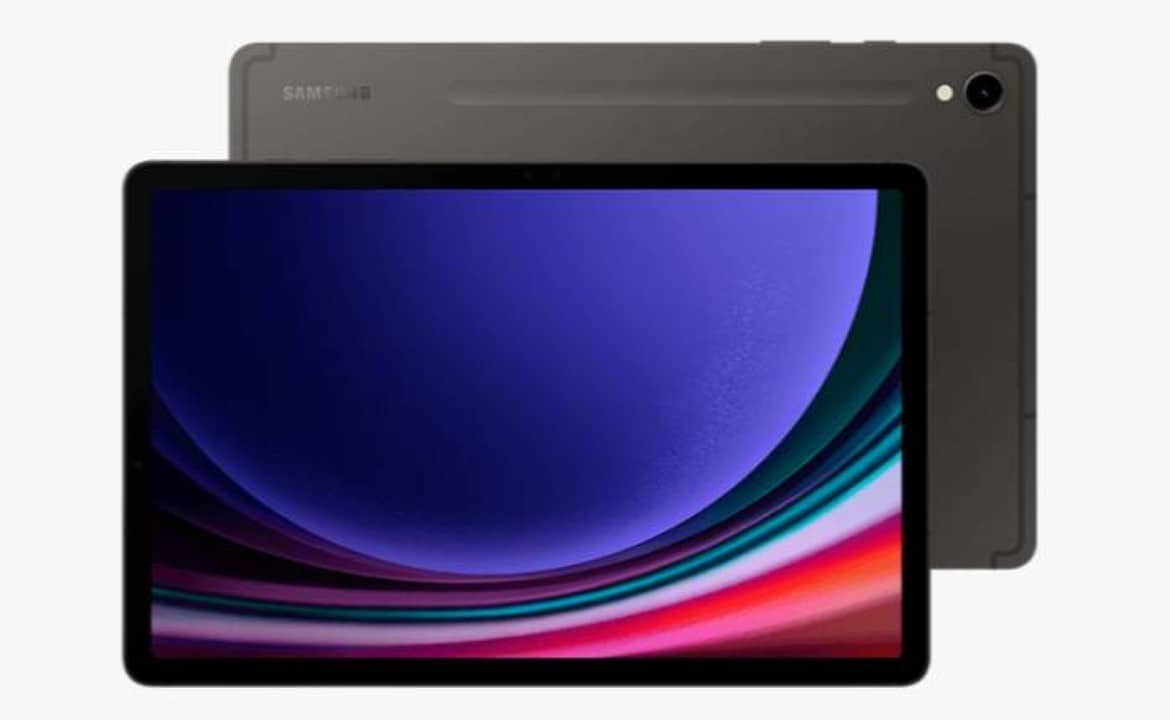
Samsung has started the official distribution of the One UI 8.5 interface for owners of the Galaxy Tab S9 tablet in Brazilian territory. The software package brings the Android 16 operating system as the structural basis of the update. Device Usuários started reporting receiving system notification in the last few days. Release occurs gradually across the country.
The installation file requires attention to the device’s internal storage due to its considerable size. The South Korean manufacturer also included the security package for the month of May 2026. The new version of the system seeks to optimize the user experience on large screens and improve tools aimed at daily productivity.

Liberação of the software package on the national market
The firmware made available by the company carries the identification code X716BXXU6EZE3. Downloading the operating system requires approximately 3.99 GB of free space on the tablet’s internal memory. Consumidores with storage close to the limit need to clean temporary files or idle applications before starting the procedure. The significant size reflects the amount of visual and structural modifications implemented by the development team.
The update notification automatically appears on the device’s main screen for most users. Aqueles who have not yet seen the warning can perform the check manually. The path requires accessing the Configurações menu, navigating to the Atualização software tab and selecting the Baixar option and installing. The manufacturer’s server manages the download queue to avoid instability during data transfer.
The complete installation process is estimated to take between 20 and 40 minutes. The exact time varies depending on the speed of the internet connection and the amount of personal information stored on the equipment. The tablet performs automatic reboots during code application. The company recommends that the user does not interrupt the process under any circumstances to avoid system file corruption.
Novas features integrated into the operating system
The One UI 8.5 interface introduces significant changes to the overall design and usability of the virtual environment. The Painel Rápido received a visual restructuring that allows for a greater degree of customization by the owner. Connectivity and brightness shortcuts can be rearranged more freely on the screen. Essa change facilitates quick access to the most used commands in everyday life.
The software package also expands the tablet’s integration with the brand’s product ecosystem. Communication between the Galaxy Tab S9, smartphones and headphones in the range occurs with lower latency. The system recognizes nearby devices more quickly. Audio transition and file sharing between devices from the same manufacturer gained new connection protocols.
The update’s key additions include:
- Reestruturação visual of Painel Rápido with customizable shortcuts.
- Samsung DeX mode Aprimoramento for computer-like use.
- Novas artificial intelligence tools integrated into Galaxy AI.
- Otimização of battery consumption when running heavy applications.
- Refinamento of transition animations between screens and system menus.
The productivity-oriented environment received special attention from developers. The Samsung DeX mode, which simulates a desktop interface on the tablet, provides greater fluidity when opening multiple windows simultaneously. Galaxy AI’s artificial intelligence has been reinforced with text translation tools, web page summarization and advanced image editing directly in the native gallery.
Impacto from Android 16 and security fixes
The transition to Android 16 represents a leap in the equipment’s software architecture. The Google operating system provides the code base necessary for the Samsung interface to operate efficiently. The new version of Android manages processor resources more intelligently. Isso results in superior thermal control during prolonged usage sessions or running graphics-intensive games.
Information security forms a central pillar of this firmware update. The package includes the security patch dated May 2026. Este set of fixes eliminates newly discovered vulnerabilities in the Android source code and in the manufacturer’s own interface. Installing the patch protects your banking details, passwords and personal files against external intrusions or recent malware.
Software development for tablets requires specific adaptations in relation to smartphones. The Galaxy Tab S9’s screen aspect ratio demands that native applications make productive use of the extra space. One UI 8.5 automatically adjusts the display of menus in double columns when the device is in landscape orientation. The virtual keyboard also received spacing adjustments for more comfortable typing.
Device Preparação and expansion to other models
Proper equipment preparation prevents failures during operating system replacement. The main technical recommendation involves keeping the tablet connected to a stable, high-speed Wi-Fi network. Using mobile networks to download almost 4 GB can quickly consume the user’s data allowance and cause fluctuations. The device’s battery must register at least 50% charge, or the device must remain connected to the wall charger.
Completing the installation directs the user to the initial configuration screens for the new tools. The system presents quick tutorials on newly added functions, highlighting artificial intelligence capabilities. The owner can enable or disable specific tracking and personalization features at this time. The adaptation phase to the new design occurs intuitively.
The manufacturer’s update strategy covers a broad portfolio of mobile devices. Além of Galaxy Tab S9, the company has already started releasing One UI 8.5 for other devices in the same category. The official list of devices included in this phase includes the Galaxy Tab S10 Lite, the Galaxy Tab A11, the Galaxy Tab S10 FE and the Galaxy Tab S10 FE Plus variant. The distribution schedule advances while the company’s software engineering teams are already focusing their efforts on developing the future One UI 9.