

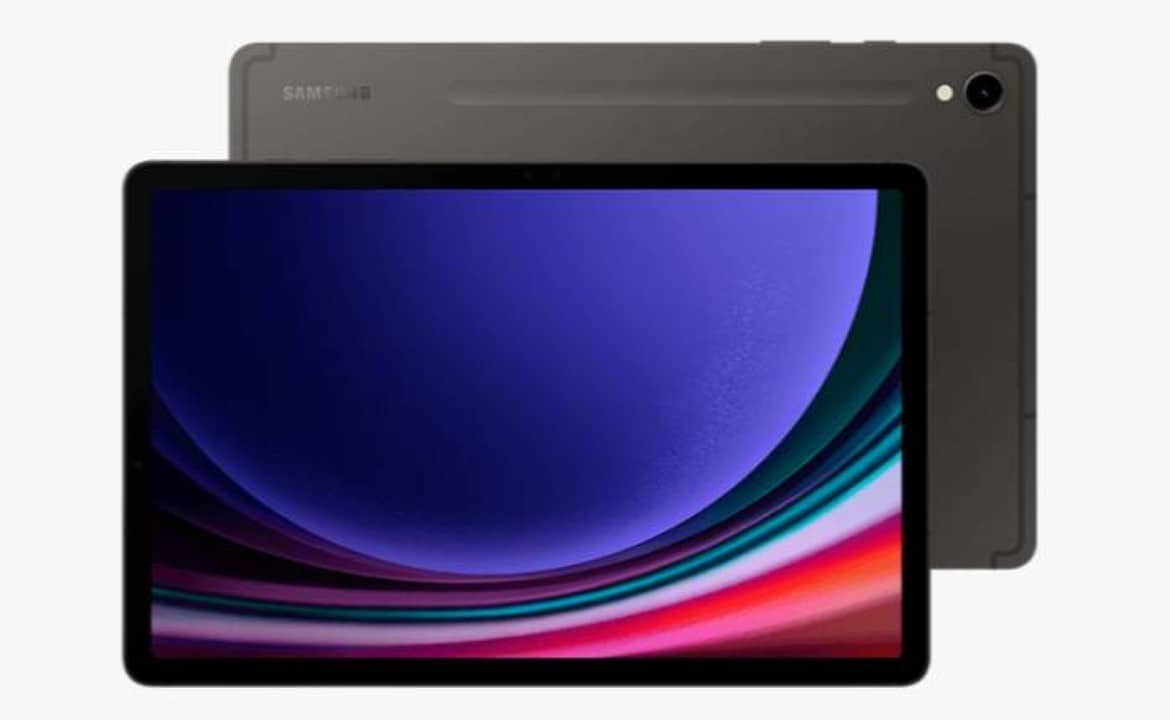
Samsung has started the official distribution of the One UI 8.5 interface for users of the Galaxy Tab S9 tablet in Brazilian territory. The software package features the Android 16 operating system as its structural base. The availability notification started appearing on devices over the last few days. The file requires a stable connection for safe download.
The update carries firmware code X716BXXU6EZE3 and includes the Google security package for the month of May 2026. The file weighs exactly 3.99 GB. The release occurs gradually through the South Korean manufacturer’s servers. Proprietários equipment needs to check the internal space before starting the system transition procedure to avoid failures during data decompression.

Exigências firmware installation techniques and process
The volume of data required by the new version requires specific care during transfer. The company recommends the exclusive use of Wi-Fi networks to avoid excessive consumption of mobile data allowances. The complete installation process takes between 20 and 40 minutes. The exact time varies depending on the number of applications present in the user’s storage and the reading speed of the equipment’s flash memory.
The device’s battery needs special attention before the update begins. The system requires a minimum of 50% stored charge. Connecting directly to the wall charger throughout the procedure eliminates the risk of sudden shutdown. An abrupt interruption in firmware recording can irreversibly corrupt the operating system, requiring specialized technical assistance to recover the logic board.
The path for manual verification follows the pattern established by previous generations of the interface. The user must access the device’s settings menu. The next step involves navigating to the software update tab. The download and install button initiates direct communication with the manufacturer’s servers to retrieve the pending package immediately.
Modificações visuals and artificial intelligence features
The transition to version 8.5 introduces significant changes to the daily usability of the equipment. Painel Rápido has received a complete restructuring of its source code. The shortcuts area now allows free reorganization of control icons. The design adapts the graphic elements to make the most of large screens, making it easier to touch with both hands when used horizontally.
Productivity tools gained reinforcements focused on the corporate and academic environment. Samsung DeX mode provides greater fluidity in the transition between overlapping windows. Integration with the brand’s ecosystem facilitates the transfer of files between the tablet and Galaxy line smartphones. The package also implements silent optimizations in RAM memory management, allowing more applications to remain open in the background without crashing.
The set of machine learning-based functions received new local processing modules. Galaxy AI takes a central role in the new user interface. The initial setup screens after reboot highlight the updated AI capabilities. The system processes text and image editing commands with greater response speed, using the processor’s dedicated hardware.
Key additions confirmed to the system change log include the following technical points:
- Reestruturação visual of Painel Rápido with shortcuts fully customizable by the user.
- Aprimoramento of the Samsung DeX interface for simultaneous use of multiple working windows.
- Sincronização advanced data and clipboard within the Galaxy ecosystem.
- Implementação of new generative processing tools in the Galaxy AI suite.
- Correções stability and power management native to Android 16 code.
These new features can be applied without the need to format the device. Personal files, photographs, documents, and installed applications remain intact after the scheduled restart cycle is complete. The system simply replaces the old operating system code layers with the new programming guidelines.
Expansão of the schedule for other tablets of the brand
Samsung’s software distribution planning covers an extensive list of equipment sold on the national market. The Galaxy Tab S9 represents only the initial phase of the schedule established for May 2026. The manufacturer confirmed the compilation of the same update package for other tablet lines. Release follows a strict order based on the release date and price category of the product.
The company’s servers already record the movement of files for parallel generation models and intermediate segments. The Galaxy Tab S10 Lite and Galaxy Tab A11 are part of the group of devices selected to receive the renewed interface. Value-for-money variants also participate in this round of operating system optimizations, ensuring parity of basic features across different price points.
The Fan Edition line maintains its space in the brand’s official ongoing support calendar. The Galaxy Tab S10 FE and its version with an enlarged screen, the Galaxy Tab S10 FE Plus, have firmware in the final phase of regional testing. The arrival of notification for these specific models should occur in the coming weeks. The batch release strategy avoids overloading download servers and prevents network failures.
Preparação storage and system transition
The requirement of almost 4 GB of free space poses a technical challenge for users with internal storage close to the limit. The operating system requires an additional security margin to unzip the temporary installation files. Deleting infrequently used applications frees up important sectors of flash memory. Clearing the cache of video streaming platforms and social networks also helps in quickly obtaining the necessary space.
Transferring high-resolution photographs and large videos to cloud storage services represents a viable alternative before upgrading. The interface’s native file manager identifies folders with duplicate documents or forgotten downloads in hidden directories. Prior preparation of the digital environment ensures a fluid transition to the new version of the base code provided by Google.
The equipment performs a series of automatic restarts during the application of the security patch and the new graphical interface. The screen displays a progress bar accompanied by the manufacturer’s logo and moving gears. Moderate heating of the tablet’s aluminum frame is a normal feature of the intense data writing process to the main memory chip.
Desenvolvimento parallel future generations of software
The distribution of the current version occurs simultaneously with the work of software engineers on new global projects. The South Korean manufacturer’s development team is already focusing its efforts on the One UI 9 architecture. The technology industry’s update cycle requires the creation of codes several months in advance. The current May 2026 package serves as a bridge of stability for the next major structural changes scheduled for the end of the year.
The absence of a deadline for the end of the distribution of version 8.5 in Brasil maintains the recommendation for periodic checks in the settings menu. Aparelhos purchased in physical retail, in online stores or linked to telephone operators may present small variations in the time it takes to receive the notification. Device identification on update servers depends on the serial number, IMEI code, and original manufacturing batch.
The company’s technical support advises consumers to keep the automatic search for updates activated in their network settings. Background communication with the manufacturer’s infrastructure ensures package delivery as soon as regional release is authorized for the specific batch. The May 2026 security patch fixes dozens of recent vulnerabilities documented in the open source Android system, strengthening protection against intrusions and malware.