

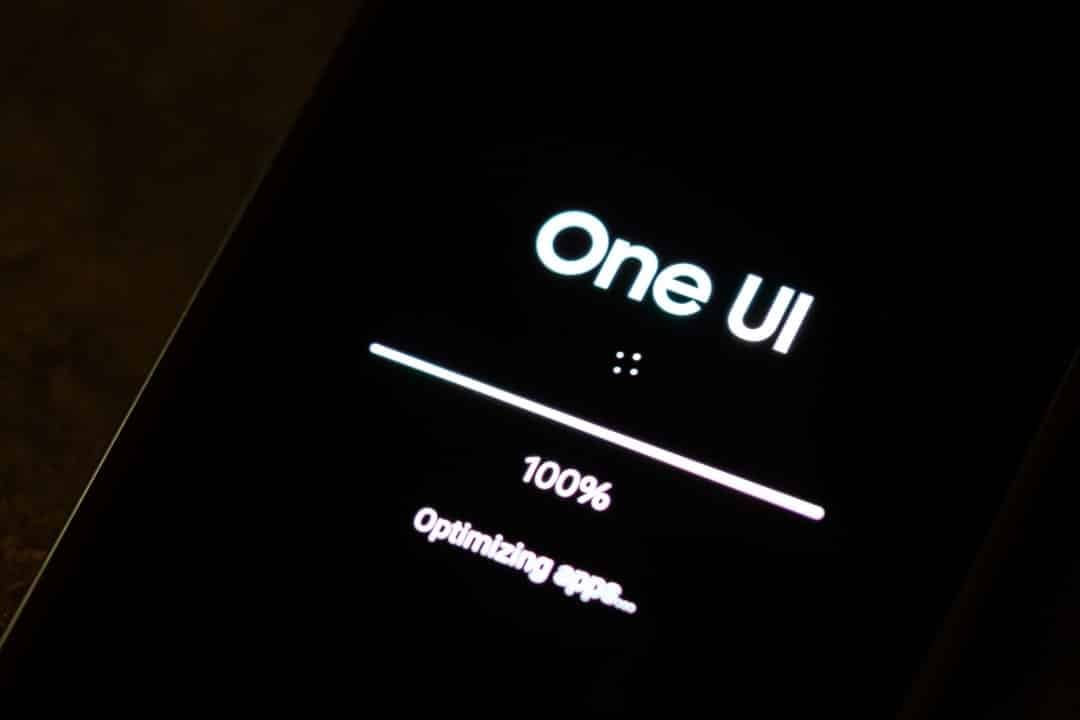
South Korean manufacturer Samsung has started the official distribution of the stable version of the One UI 8.5 interface for the Galaxy Tab S10 FE and Galaxy Tab S10 FE Plus tablets. The software package is approximately 2.8 GB in size and features the Android 16 operating system as its structural base. The update also carries the security patch for the month of May 2026. The release schedule began with the Coreia and Sul market, where users already receive download notification with the firmware compilation completed in the CZE3 code.
The company’s move reinforces the strategy of maintaining prolonged support for the line of premium mid-range devices, known as Fan Edition. The global expansion of the software should occur gradually over the next few weeks, reaching models with Wi-Fi connectivity and versions with support for mobile networks. The manufacturer advises device owners to check the availability of internal storage space before starting the file transfer process. The installation requires a battery charge greater than fifty percent to avoid interruptions in the procedure.

Novo visual design and interface customization
The visual architecture of One UI 8.5 introduces the concept called Ambient Design by the company. The aesthetic philosophy focuses on optimizing the useful space of large screens, applying adaptive transparency effects and floating graphic elements. The change changes the way configuration menus and application windows overlap on the display. The goal of the redesign is to create clearer depth perception during everyday navigation. The quick control panels have also undergone proportion adjustments to make it easier to touch with both hands while the user holds the tablet.
The system’s lock screen received a package of new customization tools. The software now uses image recognition algorithms to automatically adjust the layout of the clock and notifications when the wallpaper displays people or pets. The system crops the background and positions the clock numbers subtly behind the main element of the photo. Users gain new font options, dynamic colors and widget formats for the home screen. The fluidity of transition animations has been rewritten in the Android 16 code to take advantage of the panel refresh rate more efficiently.
Multi-window management, an essential feature for the tablet category, presents greater stability in this compilation. The bottom taskbar lets you pin a greater number of recent apps. The gesture of dragging and dropping texts or images between two simultaneously open applications responds with less latency. The integration of the software with the physical components of the device ensures that heat dissipation remains controlled even when using heavier graphical interfaces.
Avanços in artificial intelligence and virtual assistant
The update package expands the natural language processing capabilities of the Bixby virtual assistant. The voice command tool demonstrates greater accuracy in understanding colloquial phrases and complex instructions. The user can request the execution of chained tasks in a single voice command. The assistant processes information locally in most interactions. Response time for system control actions, such as changing screen brightness or activating power saving modes, has decreased considerably.
Bixby incorporates the short-term conversation history retention function. The feature allows the user to ask follow-up questions without having to repeat the context of the original request. The system’s artificial intelligence also works in the background to optimize battery consumption by learning the tablet owner’s daily usage patterns. The software suspends idle applications more aggressively without hindering the receipt of important notifications.
The gallery’s native text and image editing tools have gained functions based on machine learning. The system suggests advanced grammatical corrections on the virtual keyboard and allows the removal of unwanted objects in photographs with greater precision in cropping. Real-time audio transcription in the voice recorder application recognizes multiple speakers in the same environment, separating speeches into distinct paragraphs in the generated text document.
Integração ecosystem and communication with Apple
The change with the greatest technical impact in One UI 8.5 is the implementation of compatibility of the Quick Share protocol with the AirDrop system, belonging to Apple. The historic file transfer barrier between the two ecosystems has been broken in this version of the software. Proprietários from Galaxy Tab S10 FE can send high-resolution documents, photos and videos directly to nearby iPhone devices or Mac computers. The process takes place over an encrypted wireless connection, without the need to install third-party applications or use cloud storage services.
Interoperability works bidirectionally, also allowing the reception of files sent by competing brand devices. The transfer speed reaches the maximum limit supported by the Wi-Fi antennas of the devices involved in the transaction. Samsung plans to expand this direct communication functionality to other models in the Galaxy portfolio in the coming months. The initiative follows a trend in the technology industry in 2026 to standardize local communication protocols to facilitate the routine of consumers who use mixed platforms.
The manufacturer’s internal ecosystem also received specific connectivity improvements. The Storage Share function has been added to simplify space management between different devices under the same Samsung account. The Auto Hotspot feature establishes a shared mobile network connection with other devices instantly. The Smart View protocol, responsible for screen mirroring on smart televisions and external monitors, operates with less image compression and reduced delay in the video signal.
Especificações techniques and impact on the device life cycle
The hardware of the Galaxy Tab S10 FE line finds in the new version of the operating system an optimized environment to extract its maximum performance. The Samsung Exynos 1580 processor, responsible for central processing, manages the new artificial intelligence routines without presenting thermal bottlenecks. The transition from Android 15 to Android 16 represents a generational leap that modernizes the device’s security foundation. Samsung Knox’s protection layers have been updated to block recent malware threats targeting mobile devices.
The device’s technical sheet supports the software innovations presented in the update:
- Tela 10.9-inch LCD with a resolution of 2304 x 1440 pixels and a refresh rate of 90 Hz.
- Processador Samsung Exynos 1580 combined with 8 GB of RAM for multitasking.
- Armazenamento internal 128 GB, expandable via memory card.
- Câmera 12 MP ultrawide front and 13 MP main rear sensor.
- Advanced Conectividade supporting 5G networks, Wi-Fi 6 and Bluetooth 5.3.
- Bateria with 8,000 mAh capacity and 45W fast charging compatibility.
- Estrutura with IP68 certification, guaranteeing resistance against water and dust.
- Caneta S Pen included in the box, with support for pressure levels and overhead commands.
- Design in metal body with a thickness of 6 millimeters.
The arrival of the 2.8 GB package solidifies the tablet as a productivity tool updated to 2026 corporate and educational standards. Maintaining the major update schedule prevents early hardware obsolescence. Users who depend on the device for reading, consuming media and editing documents guarantee access to the latest APIs required by application developers in the system’s official store.