

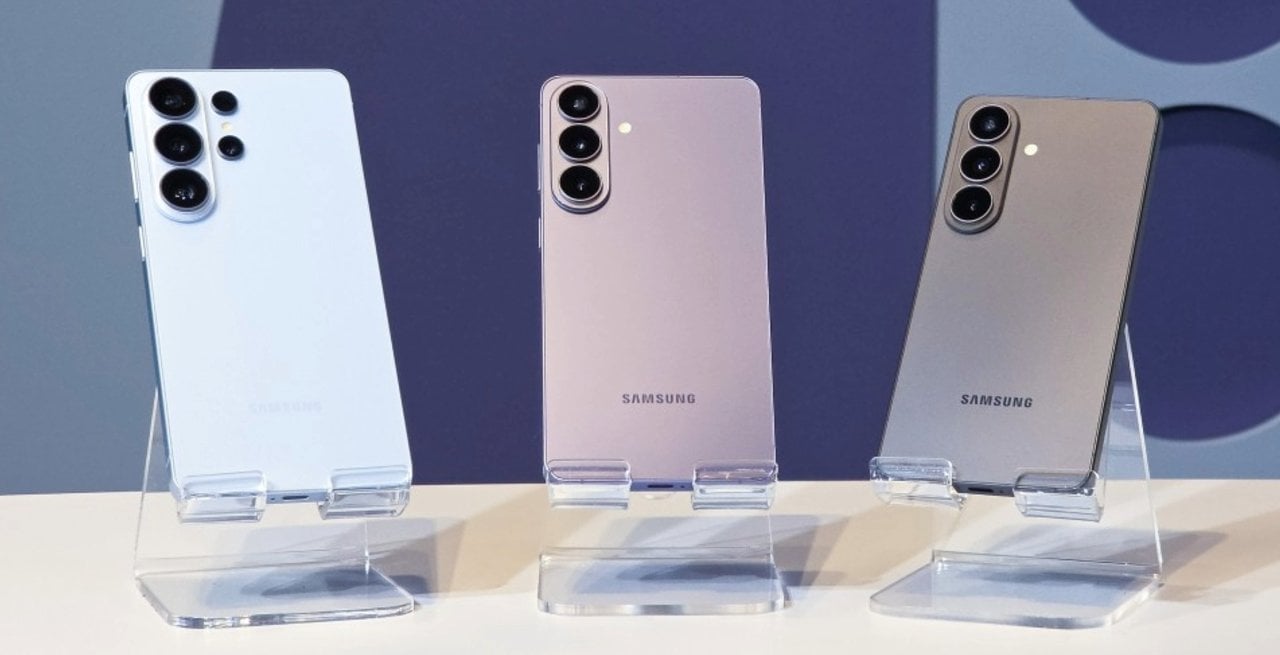
Samsung has released a new update for the Camera Assistant app that introduces a functional change for users of the recently launched Galaxy S26 line. Version 4.5.00.20 of the software, now available for download from the Galaxy Store, adds a shortcut directly to the main camera interface for capturing photographs with 24 MP resolution. The modification responds to a frequent request from the brand’s enthusiastic user community.
Before implementing this feature, device owners had to navigate through various internal menus or use the secondary Expert RAW application to configure this specific resolution. The new button simplifies the process and allows you to quickly switch between shooting modes during everyday use. The South Korean manufacturer seeks to optimize the photographic experience by reducing friction in selecting image formats.

Direct access to the main application interface
The integration of the 24 MP shortcut into the home screen of the native camera app represents a shift in the company’s software design philosophy. Galaxy S26, Galaxy S26 Plus and Galaxy S26 Ultra users now see the resolution option right in the top bar of the interface, alongside the traditional aspect ratio and timer settings. This visual arrangement eliminates the need to access advanced system settings to make a simple change before an important click.
The development of this function required adjustments to the devices’ real-time image processing. Samsung’s software engineering team needed to ensure that the transition between different resolutions occurred without any noticeable crashes or delays on the cell phone screen. The result is a fluid interface that responds instantly to the user’s touch. Amateur and professional photographers gain agility to record ephemeral moments that do not allow for time-consuming setups.
The technical balance of intermediate resolution
The choice for 24 megapixel resolution does not occur by chance in the high-performance mobile device market. Traditionally, modern sensors use pixel binning technology to group smaller pixels together to form a final 12 MP image. This standard format offers excellent light capture in dark environments and guarantees almost instantaneous processing. However, aggressive compression can sacrifice fine details in well-lit scenes or wide landscape photographs.
At the other end of the photographic spectrum, the Galaxy S26 line devices offer very high resolution sensors, reaching 50 MP and up to 200 MP in the Ultra model. These images capture a massive amount of information and allow for deep cuts in later editing. The cost of this extreme fidelity appears in the final file size, which quickly consumes the smartphone’s internal storage, and in the processing time required to save the photo. The 24 MP option appears exactly as the ideal balance point. It delivers twice the clarity of the standard format without generating files that are too heavy for quick sharing on social networks.
How to download and activate the new feature on your smartphone
The process of updating and activating new functionality requires a few simple steps within the manufacturer’s application ecosystem. Camera Assistant works as an add-on module that expands the capabilities of native photography software.
- Open the Galaxy Store app on your Galaxy S26 device.
- Search for Camera Assistant and check if version 4.5.00.20 is available for download.
- After installation, go to the native camera settings and locate the wizard menu.
- Activate the switch corresponding to the high resolution shortcut on the main interface.
- Return to the capture screen to see the new 24 MP button in the top bar.
The release of the software occurs gradually for users around the world. It is common for availability to vary depending on geographic region and local telephone operators. Devices from previous generations, such as the Galaxy S24 and Galaxy S25 lines, have hardware or image signal processing limitations that differ from the current architecture. Samsung has not yet confirmed whether the simplified shortcut will be ported to these older models in future operating system updates.
Advanced processing and artificial intelligence
Capturing a 24 MP photograph on a modern smartphone involves complex computational processes that occur in fractions of a second. The Galaxy S26 system not only records light, but uses artificial intelligence algorithms to analyze the scene in real time. The image signal processor identifies distinct elements in the frame, such as human faces, clothing textures, vegetation, and the sky. Each of these areas receives a specific color, contrast and sharpness treatment before the final file is saved in the gallery.
This semantic segmentation ensures that the image maintains a natural appearance, avoiding the over-saturation or artificial processing that used to plague mobile device photographs in the past. The 24 MP resolution provides enough data for artificial intelligence to work accurately, resulting in superior dynamic range. Areas of deep shadow and points of intense light are preserved with greater fidelity. The software can extract the maximum potential from the device’s physical lenses, combining optical capture with advanced computational photography.
Impact on storage and user experience
Managing internal storage space is a constant concern for those who record a lot of videos and photographs on their cell phones. 50 MP or 200 MP files require robust cloud services or frequent transfers to personal computers. By adopting the 24 MP format as an easily accessible option, the manufacturer provides a viable alternative for recording important trips and events. The user obtains images rich in details without compromising the device’s memory in just a few hours of continuous use.
The evolution of the Camera Assistant app demonstrates a clear strategy for democratizing advanced features. Tools that were previously restricted to hidden menus or required technical knowledge of RAW formats are now just a tap away. The Galaxy S26 line consolidates the idea that mobile photography can be both affordable and professional. The new shortcut suits both the casual photographer who wants a sharper photo to print and the content creator who needs agility in their daily workflow.