Xiaomi releases HyperOS 3 update package to fix native app crashes
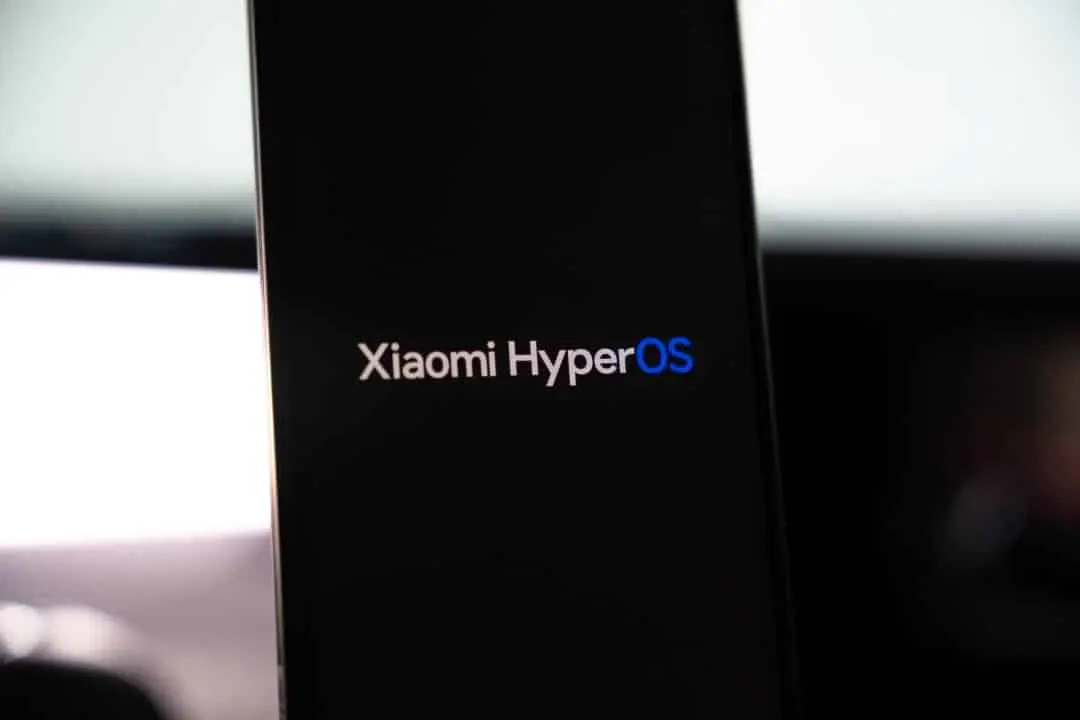
Xiaomi has started distributing a new update package for the HyperOS 3 operating system in the Chinese market. The software brings a series of performance optimizations and bug fixes specifically targeted at the interface’s native applications. The company focuses on the overall stability of the digital ecosystem. The Asian manufacturer’s main objective is to eliminate visual glitches and unexpected behaviors that impact the daily use of mobile devices.
The official release document details structural refinements to fundamental user experience tools. Aplicativos of constant use has undergone code reviews to ensure a more fluid and reliable browsing environment. The distribution of the software package occurs in a staggered manner in the Asian region. The engineering schedule calls for complete stabilization of the system in the local market before official release for global variants of the interface.
Read also: Xiaomi improves HyperOS 3 with several fixes and optimizations for native applications
Alterações visuals and features in the Galeria app
The Galeria application received special attention in the new build of the brand’s operating system. The built-in image editor has a new watermark function based on the half-frame film style. The tool applies fixed layout rules to photographs processed by the system. The feature adds a specific aesthetic and nostalgic look to images edited by users directly on the device’s storage.
Using the new watermark requires specific technical software requirements. Device owners must have version 2.3.0.8.3 or a higher edition of the Galeria editor installed on their system. The Xiaomi development team guides the maintenance of all applications in the latest version available in official stores. The practice guarantees full access to newly added functionalities and maintains the security of processed data.
Editing images on mobile devices demands efficient processing and a responsive graphical interface. The HyperOS 3 update seeks to balance the introduction of new visual features with maintaining processor and battery performance. Photo and video management represents one of the functions most demanded by consumers in the daily use of modern smartphones.
Performance Ajustes on Notas and Gravador tools
The Notas application has undergone a deep technical review to improve the fluidity of the system’s animations. Screen transitions and document opening movements have received frame rate adjustments. The software also received direct fixes for three usability flaws reported by users in previous builds of the operating system.
Technical modifications implemented in the note-taking app include:
Understand the case: Apple declares the end of production of three iPhone models next year
- Correção of the visual bug affecting the display of the voice memo player in the main application interface.
- Resolução of the database failure that caused the creation history of new documents to occasionally disappear.
- Ajuste in the graphics rendering engine to ensure full character loading in large text blocks.
Applying the fixes to Notas requires the installation of version 2.4.0.98 on the manufacturer’s cell phones and tablets. Users of the desktop companion app need to update the software to version 2.4.1.0. Cloud data synchronization between different platforms relies on version parity to work without corrupting text files.
The native audio Gravador received structural changes starting with build 7.9.5.302. Software engineers have fixed a critical outage in the speech-to-text engine. The update eliminated graphical flickering in the floating window when using multiple applications simultaneously. The system also improved integration with virtual meeting platforms. The user can view the linked project normally after clicking on the notification to join an audio or video call.
Correções interface on Relógio and Proteção Familiar
The Proteção Familiar application, aimed at home security and monitoring, showed a reduction in the loading time of internal pages. Gesture navigation within the platform has become faster after rewriting part of the source code. The company fixed a flaw in the invitation system that blocked the addition of new members to the family monitoring group.
Learn more: Flaw in Apple’s iOS 26.2.1 system blocks applications and melts iPhone battery
The accessibility of the security application has also received important visual improvements. The interface now adjusts the layout correctly when the user selects large text fonts in the general system settings. The rendering adjustment prevents words from being cut off or overlapping on the device screen. Usability optimizations require app version 13.04.29.000 installed on the device.
The Relógio utility has undergone graphical stabilization in the stopwatch function. Version 16.10.0 of the application eliminated a communication error with the brand’s virtual assistant. The problem prevented the alarm clock integrated into the Xiaoai from functioning at times previously programmed by the user. The fix ensures the correct activation of morning alarms and daily reminders essential to your routine.
Otimizações in the notification bar and system utilities
The HyperOS 3 notifications infrastructure has received background data synchronization adjustments. Assistente of Viagem has had the delay in offset alerts fixed by the software developers. Route monitoring now works continuously from the departure of high-speed trains to the boarding deadline at railway stations.
More on this story: Xiaomi starts distributing HyperOS 3.1 with Android 16 for POCO and Redmi lines
The Xiaomi Hyper Island feature has introduced status fixes in the top panel of the interface. The operating system’s dynamic island no longer displays the unavailability message after the initial configuration made by the device owner. The tool maintains continuous display of information and quick shortcuts without unscheduled interruptions.
The screen capture system received a specific patch to correct visual distortion in image thumbnails. The graphical error occurred when recording multiple consecutive captures by the user. The native email application has also undergone repairs to the text formatting engine. The update prevents corruption in the display of electronic messages in specific HTML code reading scenarios.
The manufacturer maintains an open communication channel with consumers through the system’s official Feedback application. Collecting data on software performance guides the development schedule for upcoming security updates. Technical reports submitted by device owners help quickly identify residual user interface flaws.
More news in Latest News (EN)
See more → Apple launches iPhone Duo foldable smartphone starting at $1,999
 Apple unveils iPhone 18 Pro lineup with variable aperture
 Sony starts Tokyo Game Show discounts on PlayStation Store
 Xbox secures Hideo Kojima title Physint after PlayStation shift
 Palace letter confirms status of Prince Harry and Meghan
 LEVEL-5 reveals Yo-kai Watch 2: Haunted Domain for Switch 2
 Nintendo brings new mode to Xenoblade Chronicles 3 on Switch 2
 Capcom brings Monster Hunter Wilds to Switch 2 in December
 Pikmin 4 Switch 2 version adds 72 Dandori stages in November
More news on Mix Vale
- 1Nintendo readies Kirby and the World Beyond for spring 2027
- 2CD Projekt Red unveils The Witcher 3 remaster for September
- 3Switch 2 receives Persona 4 Revival rollout on May 20, 2027
- 4Marvel’s Wolverine earns three stars in assessment of action
- 5Mistral secures €3 billion in funding at €21 billion value
- 6Moore Threads provides 100,000 GPUs for new JD Cloud hub
- 7Former President’s $5,000 payout pledge sparks intense debate over legality and funding feasibility
- 8Country musician Brian Duckworth dies at 56 in West Virginia
- 9ATLUS confirms Persona 6 release for the Switch 2 system
- 10Nintendo unveils Metroid Ravenous and Kirby for Switch 2