Steam Controller does not work correctly in Xbox app and PC Game Pass games
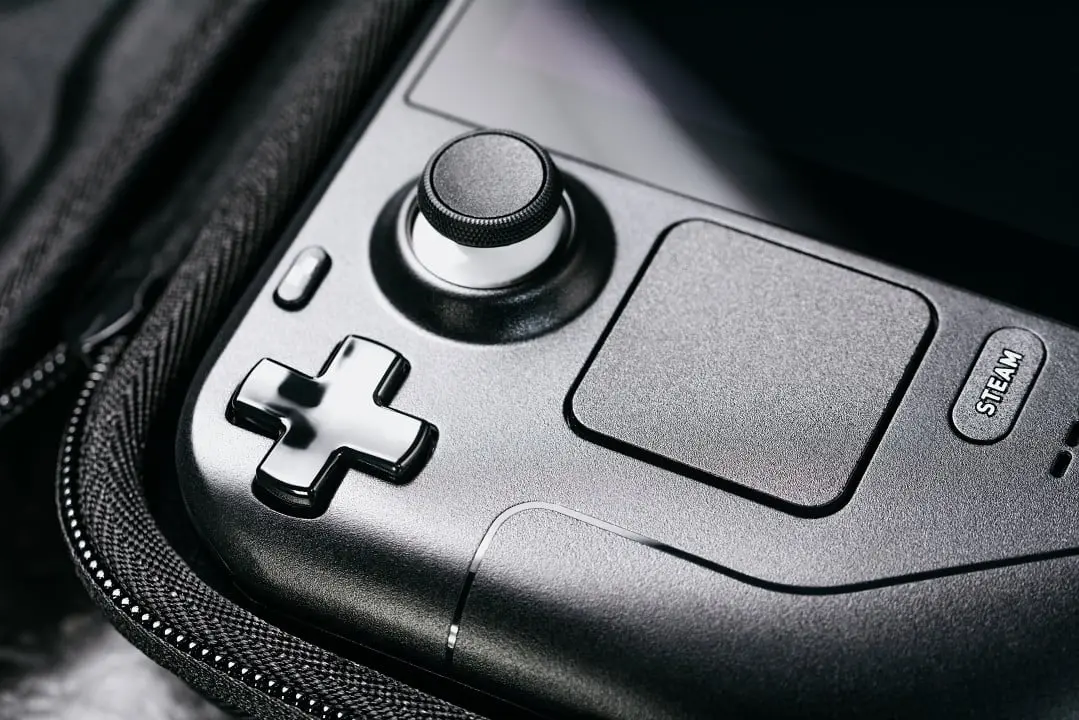
The new Steam Controller has started to reach consumers, but users of the Xbox on PC quickly discovered a very frustrating limitation. The Valve controller currently does not work correctly in games launched via the Xbox app or via the Game Pass PC. With this limitation, titles running outside the Steam do not recognize the peripheral as a compatible control.
The system interprets the Steam Controller only as a mouse and keyboard, preventing the full use of the device’s resources in games available in the Microsoft ecosystem. Mesmo so that the Steam Controller is not completely unusable when connecting to the game from the Xbox app or Game Pass PC, the control goes into an alternative mode called “lizard mode”. Nesse state, the trackpads and basic commands can navigate the Windows interface, but without offering adequate support for gameplay in games compatible with traditional controllers.
The impact on player experience
The issue quickly sparked complaints among gamers who hoped to use the accessory as a universal solution for PC gameplay. The situation especially affects Game Pass Ultimate users. Muitos titles distributed through the Xbox app simply ignore the device during startup, making the experience frustrating for those invested in the new controller.
More on this story: Steam Controller 2026 Launch Brings Exclusive Innovations and Barriers Outside of PC
Consumidores who acquired Steam Controller were looking for precisely this universality. Esperavam utilize a single peripheral across the entire game library, regardless of platform or distribution store. Incompatibility with the Xbox app contradicts this promise and forces users to choose between different controls as they switch between platforms.
Soluções alternatives and their limitations
Alguns community members began sharing alternative solutions using third-party programs hosted on GitHub. Ferramentas like SISR (Steam Input System Redirector) and SteamlessController attempt to convert Steam Controller commands to formats recognized by Windows and games. Apesar Furthermore, none of these solutions are officially supported by Valve or Microsoft.
Available alternatives include:
See Also

7.7 magnitude earthquake shakes Indonesia and triggers tsunami warning in the east of the country

Preparation for asteroid impact: NASA expert highlights the urgency of planetary defense

Miss World Indonesia Putri Andriani Juficha dies on her 26th birthday
- SISR (Steam Input System Redirector)
- SteamlessController
- VIIPER
- ViGEmBus
Além requires the need to install extra applications, some of the software depends on complementary projects to function correctly in the operating system. The situation also raises concerns among less experienced Windows users. Muitos consumers bought the Steam Controller precisely looking for a simpler experience that was closer to a home console, without having to configure additional programs or deal with multiple layers of compatibility.
Learn more: New 2026 Steam Controller shines on PC but fails on other systems
Technical improvement Perspectivas
Existe a small positive sign for the future. The SDL (Simple DirectMedia Layer) library, widely used in PC game development, recently gained support for advanced Steam Controller features, including trackpads, capacitive sensors and footprint detection. In theory, this will allow some games to recognize the controller correctly outside of the Steam.
Therefore, Ainda support will depend on developers integrating the new compatibility into each title, something that can take a long time, especially in large AAA productions. Testes performed by the community with manually added games as “non-Steam games” also did not fully resolve the issue. Mesmo when importing external executables to Steam, Steam Input continues to not activate correctly in several titles distributed by the Xbox application.
Questão liability still open
For now, responsibility for the problem remains undefined among the actors involved. Parte community blames Microsoft’s approach to UWP applications and the workings of Xbox App, while others point to the lack of native support for the XInput standard in the new Steam Controller as the main obstacle to full compatibility in Windows.
The solution will necessarily involve collaboration between Valve and Microsoft or the voluntary adoption of new standards by developers. Enquanto this does not happen, consumers continue to face a fragmented experience that contradicts the universality proposal of the new Valve peripheral.